Exploring the Best Features for Gaming Laptops

0 Comments

Gaming laptops have come a long way. Gone are the days of bulky machines that barely fit in your backpack. Today’s models are sleek, powerful, and packed with features designed to elevate your gaming experience. Whether you’re battling it out in a fast-paced shooter or exploring vast open worlds, the right equipment can make all the difference. But what should you look for when choosing a gaming laptop? Let’s dive into some of the best features that will enhance your gameplay and keep you ahead of the competition. From graphics power to speed, these elements are crucial for any serious gamer. Ready to level up? Let’s explore!

Powerful GPU

A powerful GPU is the heart of any gaming laptop. It’s responsible for rendering stunning graphics and delivering smooth frame rates. When you’re immersed in a game, every pixel counts. Modern gaming demands high-quality visuals. A strong graphics card can handle intense environments, detailed textures, and complex lighting effects without breaking a sweat. This means less lag and more fluid gameplay during critical moments. Look for dedicated GPUs from reputable brands like NVIDIA or AMD. These chips are designed specifically for gaming performance, making them essential for an enjoyable experience.

High-Performance CPU

A high-performance CPU is the beating heart of any gaming laptop. It drives not just gameplay but also multitasking capabilities. Look for processors that can handle modern games without breaking a sweat. Intel’s Core i7 and i9 or AMD’s Ryzen 7 and 9 series are popular choices among gamers. They provide impressive processing power, ensuring smooth performance even in demanding titles. Clock speed matters too. Higher clock speeds mean quicker data processing, which translates to reduced lag during intense gaming sessions.

Adequate RAM

When it comes to gaming, adequate RAM is essential. It acts as the short-term memory for your laptop, allowing it to store and access data quickly. For a seamless gaming experience, aim for at least 16GB of RAM. This amount strikes a balance between performance and cost. With 16GB, you can run demanding games alongside background applications without hiccups. Some gamers might consider going up to 32GB. While this isn’t necessary for every title, it’s beneficial if you’re multitasking or using resource-heavy software simultaneously.

Fast Storage Solutions

When it comes to gaming laptops, speed is crucial. Fast storage solutions can dramatically affect load times and performance. Solid State Drives (SSDs) are the gold standard here. Unlike traditional Hard Disk Drives (HDDs), SSDs have no moving parts, allowing for rapid data access and significantly shorter boot times. Games installed on an SSD launch almost instantly. NVMe technology takes it a step further by using the PCIe interface, offering blazing-fast read and write speeds that HDDs can’t match. This means you can minimize lag during intensive gameplay sessions.

When searching for the ideal gaming laptop, it’s crucial to prioritize features that will enhance your gaming experience. A powerful GPU is non-negotiable; it ensures stunning graphics and smooth gameplay. Pairing this with a high-performance CPU allows for quick processing and seamless multitasking during intense sessions. Selecting the right components can make all the difference in how much enjoyment you get from your games. Invest wisely, and you’ll be rewarded with a machine capable of delivering peak performance when you need it most.


Tip to Make the Most of Your Computer Desktop

0 Comments
wallpaper on PC

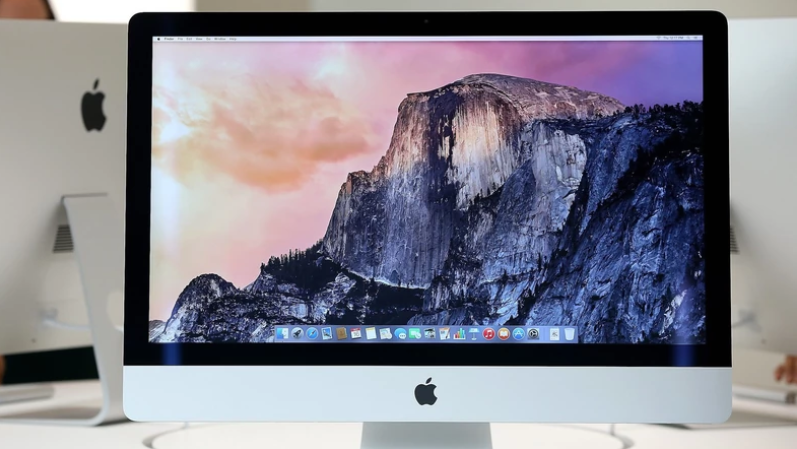
Most people usually do not understand the significance of a laptop history. They may not know its importance, but it serves various functions. It can make your screen look amazing, for instance. An excellent history photo can be quite uplifting in such cases and allows you to show your creativity. It can also compel you to tidy your desktop. You need the best wallpapers even for your gaming PC. Here is how you can make the most of your desktop background.

Choose High-Quality Resolution

If you a wallpaper that is not of high resolution, it will appear grainy. You can look for one based entirely on your display specifications since this will be the best choice. If, for instance, your display is 1920 by 1080, then your wallpaper should have the right aspect ratio and proper resolution.PC wallpaper
Schedule Your Wallpapers

When you have a set of wallpapers, you can choose the best to set as your desktop historical past. You can use all your favorite wallpapers one by one added on the agenda. You can also use software programs to help you use the photos you desire based on a time table on a given day. This will make the whole process a lot easier.

Dispose of Irrelevant Wallpapers

After scheduling your best wallpapers, it is time to eliminate the remaining clutter. You want to get a full view of the picture. The rule is that you maintain the most effective wallpapers on your laptop, especially those you use every day. All the remaining icons should be deleted. It is a wise idea to preserve your desktop litter-unfastened always.

Go for Lovely Stuff

animated wallpaper

You can get the best wallpapers by downloading them from the internet. For non-industrial, private use, you can take any wallpaper from google as long as it does not reveal all non-public information. There are also many copyright-free snapshots that you can use as your desktop history. You can download as many as you want since this may be your quality wager.

Go for Animated Wallpapers

It is usually advisable to keep it simple. Besides, if you have an effective machine, you can check out some lively computer wallpapers. For instance, if you run Windows 8, you can use the integrated screensavers as wallpapers. You can also convert your own videos and set them as your laptop history.

You will get the most out of your machine with nice and lovely wallpapers. Like real wallpapers, a digital wallpaper can make modifications to the surrounding of your PC. However, please note that misusing this carrier may consume your PC’s resources and make it slow.…